On May 18, 2026, Back to Articles PaddleOCR 3.5: Running OCR and Document Parsing Tasks with a Transformers Backend Team Article Published May 18, 2026 Upvote 22 +16 AlexZhang AlexTransformer Follow PaddlePaddle cuicheng ChengCui Follow PaddlePaddle Jun Zhang jzhang533 Follow PaddlePaddle Manhui Lin gggdddfff Follow PaddlePaddle PaddleOCR 3.5 brings OCR and document parsing tasks closer to the Hugging Face ecosystem. With this release, supported PaddleOCR models can run with Hugging Face Transformers as an inference backend by setting: engine= "transformers" PaddleOCR continues to provide OCR model series such as PP-OCRv5 and document parsing model series such as PaddleOCR-VL 1.5 , while Transformers becomes one of the supported backends for running them.
What the source shows
Try the live demo on Hugging Face Spaces: https://huggingface.co/spaces/PaddlePaddle/paddleocr-3.5-transformers-demo What changed? PaddleOCR 3.5 introduces a more flexible inference-engine interface. Model layer OCR and document parsing capabilities PP-OCRv5, PaddleOCR-VL 1.5... PaddleOCR helps address this document ingestion challenge by providing OCR series models such as PP-OCRv5 and document parsing series models such as PaddleOCR-VL-1.5.
Why it matters
With PaddleOCR 3.5, these capabilities are now easier to connect with Transformers-centered stacks. Quick start Install PaddleOCR 3.5, PaddleX, Transformers, and a compatible PyTorch build for your hardware. For example, on a CUDA 12.6 environment: python -m pip install torch torchvision torchaudio --index-url https://download.pytorch.org/whl/cu126 python -m pip install "paddleocr==3.5.0" "paddlex==3.5.2" "transformers>=5.4.0" For CPU, ROCm, or other environments, install the PyTorch build that matches your target hardware. Run from the command line: paddleocr ocr \ -i https://paddle-model-ecology.bj.bcebos.com/paddlex/imgs/demo_image/general_ocr_002.png \ --device gpu:0 \ --engine transformers Or use the Python API: from paddleocr import PaddleOCR pipeline = PaddleOCR( device= "gpu:0" , engine= "transformers" , use_doc_orientation_classify= False , use_doc_unwarping= False , use_textline_orientation= False , engine_config={ "dtype" : "float32" , }, ) results = pipeline.predict( "https://paddle-model-ecology.bj.bcebos.com/paddlex/imgs/demo_image/general_ocr_002.png" ) for result in results: print (result) The Hugging Face Space uses float32 for broad compatibility.
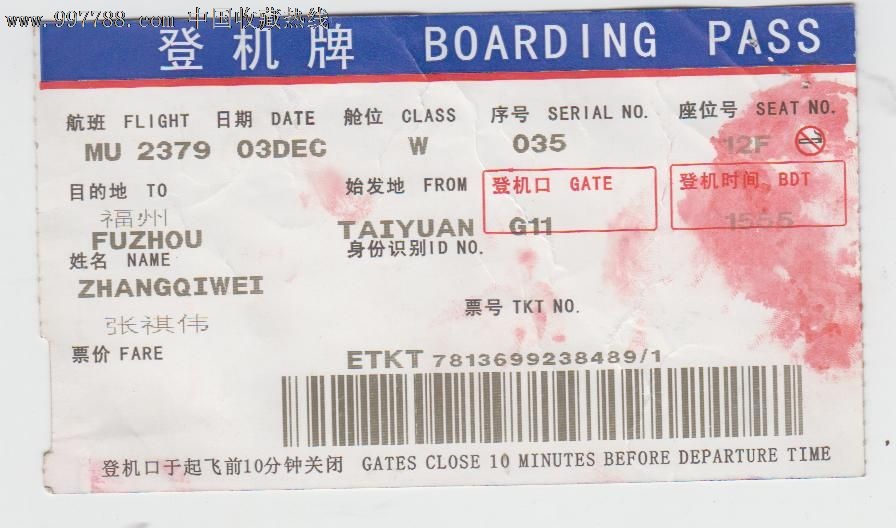
Key Questions
Q: What happened or was found?
A: On May 18, 2026, Back to Articles PaddleOCR 3.5: Running OCR and Document Parsing Tasks with a Transformers Backend Team Article Published May 18, 2026 Upvote 22 +16 AlexZhang AlexTransformer Follow PaddlePaddle cuicheng ChengCui Follow PaddlePaddle Jun Zhang jzhang533 Follow PaddlePaddle Manhui Lin gggdddfff Follow...
Q: What concrete evidence or constraint does the source provide?
A: Back to Articles PaddleOCR 3.5: Running OCR and Document Parsing Tasks with a Transformers Backend Team Article Published May 18, 2026 Upvote 22 +16 AlexZhang AlexTransformer Follow PaddlePaddle cuicheng ChengCui Follow PaddlePaddle Jun Zhang jzhang533 Follow PaddlePaddle Manhui Lin gggdddfff Follow PaddlePaddle...
Source: PaddleOCR 3.5: Running OCR and Document Parsing Tasks with a Transformers Backend
Domain: huggingface.co
Comments load interactively on the live page.